 WhisprDesk
How to dictate system-wide on your Mac
System-wide dictation means you can speak into almost any app, your editor, your browser, your chat window, and have the words appear as text, rather than being limited to one dictation box. WhisprDesk provides live, system-wide dictation on the Mac, and it runs on-device with Whisper or NVIDIA Parakeet, so your voice is converted to text locally without going to the cloud. There is no account to set up and nothing is metered per minute. Because it runs on your machine, it works the same across the apps you already use, and an optional AI cleanup step (using your own API key) can tidy the result when you want it. WhisprDesk runs on Apple Silicon on macOS 12 and later, and is available now with a 7-day free trial.
What system-wide dictation means
Some dictation tools only work inside their own window, so you dictate there and then copy the text where you need it. System-wide dictation removes that step: you put the cursor wherever you are typing, in any app, and your speech is entered there directly.
Press the Globe key to start dictation in any app
The default trigger on macOS is the Globe (Fn) key: press it to start dictating in whatever app has your cursor, and press it again to stop. You can rebind the trigger in Settings if you prefer a different key.
On a default macOS setup, pressing the Globe key opens the emoji and symbols picker instead. To free the key for dictation, open the Apple menu, go to System Settings (or System Preferences), and select Keyboard. Next to the 'Press 🌐 key to' or 'Fn key' dropdown, select Do Nothing.
While dictation is active, a small on-screen overlay shows that it is listening, with an elapsed timer and a stop control.
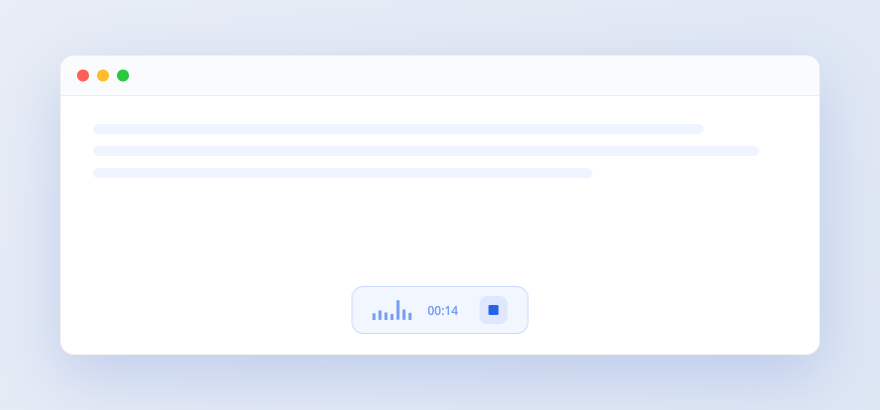
On-device, so it works everywhere and stays private
Because the speech model runs on your Mac, system-wide dictation behaves the same across apps and keeps your audio on the device. There is no upload, no account, and no telemetry.
When the key is already taken
The Globe key is shared territory on macOS. Depending on your settings it may already open the emoji picker, switch input source, or trigger Apple's own dictation, and whichever of those owns the key will win before WhisprDesk sees it.
This is a macOS keyboard setting rather than something the app can override. Changing what the Globe key does in System Settings, or assigning WhisprDesk a different shortcut, resolves it. It is the single most common reason people think dictation is not working on first run.
Dictation you can drive from your own scripts
Beyond typing into whatever app has focus, WhisprDesk runs a small HTTP service on your own Mac that other tools can call. It listens on localhost only and requires a bearer token that you control, so it is not reachable from the network around you. By default it uses port 9879, and the app shows your exact address under Settings, Integrations, which is the authoritative one to use.
You send audio to POST /v1/transcribe and get the transcript back as JSON. That is enough to wire dictation into Apple Shortcuts, Raycast, Alfred, or a shell script, so a voice memo can become a note, a clipboard entry, or a processed folder of files without you opening the app at all.
Worth being accurate about one thing: the endpoint uses its own request format rather than mirroring any third-party API, so treat it as its own small interface rather than a drop-in replacement for something else.
Optional AI cleanup
After you dictate, an optional step can have an AI model clean up or reformat the text, using your own OpenAI, Anthropic, or Google key. It is opt-in; dictation itself needs no key.
Frequently asked questions
- How do I start system-wide dictation?
- Press the Globe (Fn) key to start and stop dictation in whatever app has your cursor. The trigger is customizable in Settings.
- Pressing the dictation key opens the emoji picker instead. How do I fix that?
- macOS assigns the Globe key to the emoji picker by default; setting it to Do Nothing lets WhisprDesk use it for dictation. Open the Apple menu, go to System Settings (or System Preferences), and select Keyboard. Next to the 'Press 🌐 key to' or 'Fn key' dropdown, select Do Nothing.
- Does it work in any app?
- Yes. System-wide dictation enters text wherever your cursor is, across the apps you already use, because it runs at the system level on your Mac.
- Is the dictation processed on-device?
- Yes. Speech-to-text runs locally with Whisper or NVIDIA Parakeet, with no upload, no account, and no telemetry. Only the optional AI cleanup contacts an external provider, using your own key.
- Can other apps or scripts use WhisprDesk to transcribe?
- Yes. The app runs a local HTTP service, bound to localhost and protected by a bearer token you control. By default it listens on port 9879, and the app shows your exact address under Settings, Integrations. Send audio to POST /v1/transcribe and the transcript comes back as JSON, which is enough to drive it from Apple Shortcuts, Raycast, Alfred, or a shell script. It uses its own request format rather than mirroring a third-party API.
- Which models does the dictation run on?
- Whisper in any of six sizes, from about 75MB for the smallest to about 3GB for the largest, or NVIDIA Parakeet at about 680MB covering 25 languages. Models download on first use and cache under ~/.cache/whisprdesk/, so the installer itself carries no model weights.
- What are the requirements?
- WhisprDesk runs on Apple Silicon Macs (M1 or later) on macOS 12 (Monterey) and later.